View XRechnung
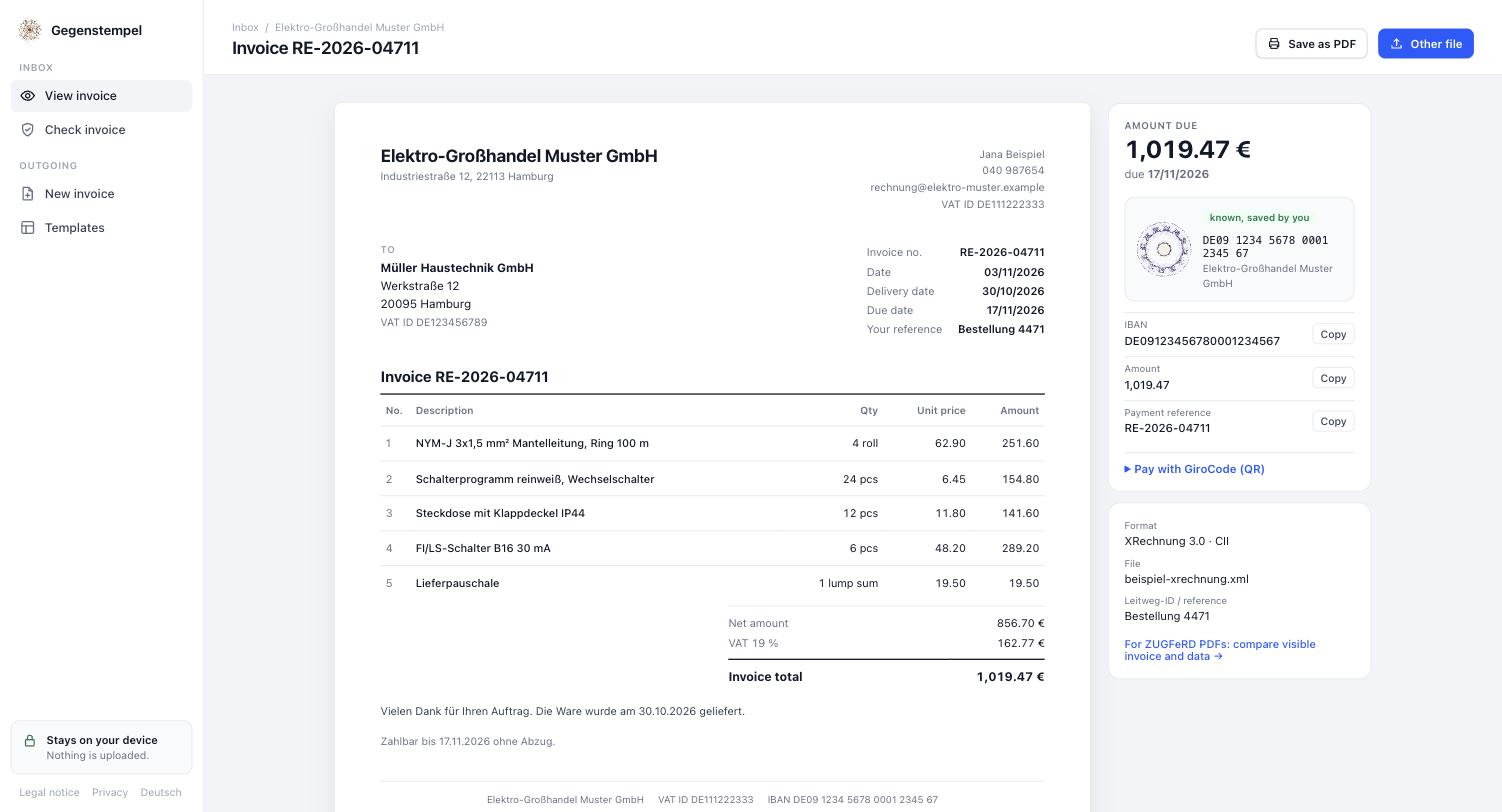
Received an XML file and can’t read it? Drop it in and read it as an invoice.
- All line items, taxes and bank details
- Save as PDF
- Pay by GiroCode with your banking app
Free · no sign-up · nothing is uploaded
Got an XRechnung you can’t open? Read it as a normal invoice. Check that bank details and amount are right before you pay. And write your own e-invoices that pass the official EN 16931 rules.
Runs entirely in your browser · ZUGFeRD · XRechnung · Factur-X
Three tools, one app
Received an XML file and can’t read it? Drop it in and read it as an invoice.
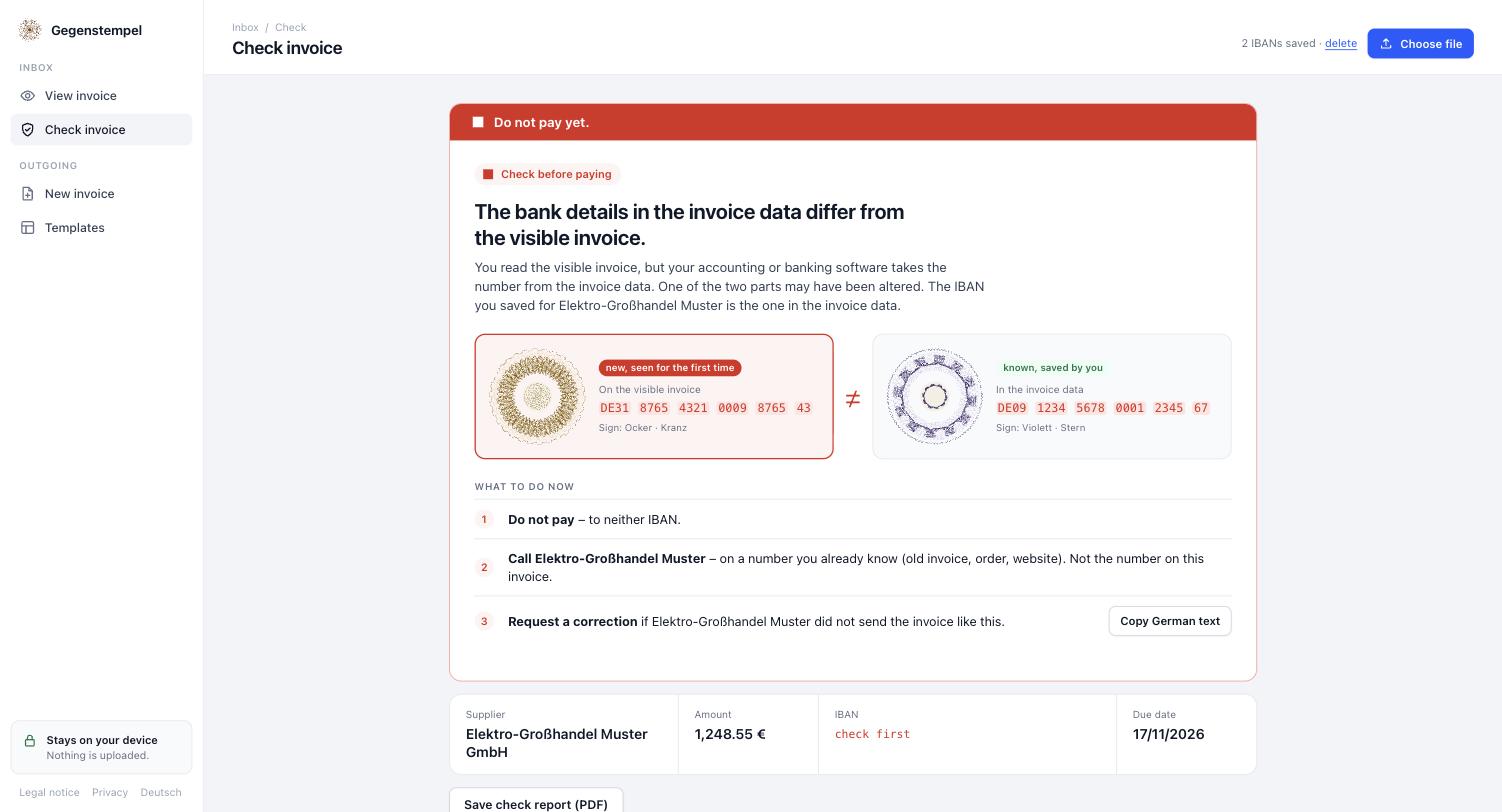
Drop in a PDF or XML. We put the visible invoice and the invoice data side by side.
Fill in the form, or import your old PDF, Excel or Word invoice.
How it works
The PDF or XML, just as it arrived by email. ZUGFeRD, Factur-X and XRechnung are recognised.
Bank details, amount due, net, VAT, invoice number, VAT ID and due date.
A clear result in one sentence and, if needed, the next steps.
Security
Viewing, checking and creating run entirely in your browser. Try it: load the page, switch off your internet. It still works.
Why the bank details?
In invoice fraud the bank details are swapped, often with a friendly line like “Please note our new bank details”. According to top agrar, after a ruling by the Higher Regional Court of Oldenburg (5 U 89/25) a buyer had to pay around €17,000 a second time. Report (German)
Every bank account gets its own sign. If the IBAN changes, the sign changes – no need to compare 22 characters.
For businesses with many invoices
For this, invoices are stored on a server. You’ll know where and for how long before you start. The free tools in the browser stay fully local.
FAQ
Yes. Viewing, checking and creating in the browser are free and need no sign-up. Automatic checking of all invoices will be a paid subscription; early-access sign-ups hear the price first.
ZUGFeRD from version 2.0.1 and Factur-X as PDF, and XRechnung as XML (UBL and CII). If a PDF is an ordinary invoice without invoice data, we tell you.
Individual line items, the delivery date and whether the work was actually done. Anything we could not compare is always stated in the result – never shown as “equal”.
No. Gegenstempel automatically compares what is in the file. It does not replace your own invoice review and is not tax or legal advice. Always confirm new bank details by phone.
Invoices stay on your computer. Saved IBANs and company details are stored only by your browser, and you can delete them at any time. Only if you sign up for early access do we store your email, trade and invoice volume. More in our privacy policy (German).